> For the complete documentation index, see [llms.txt](https://themedocs.zenit.design/llms.txt). Markdown versions of documentation pages are available by appending `.md` to page URLs; this page is available as [Markdown](https://themedocs.zenit.design/en/styling/components/pagination.md).
# Pagination
### Colors
The pagination of the listing has, in addition to the usual colors, colors for the different states: :hover, :active and :disabled.
{% hint style="info" %}
**Tip:** The values of the fields can be SCSS functions:
`hsl(hue($sw-border-color), saturation($sw-border-color), 89%)`
Here the color is defined per hsl format. The color angle and saturation of the border color are combined with a brightness of 89%.
{% endhint %}

### Basic configuration
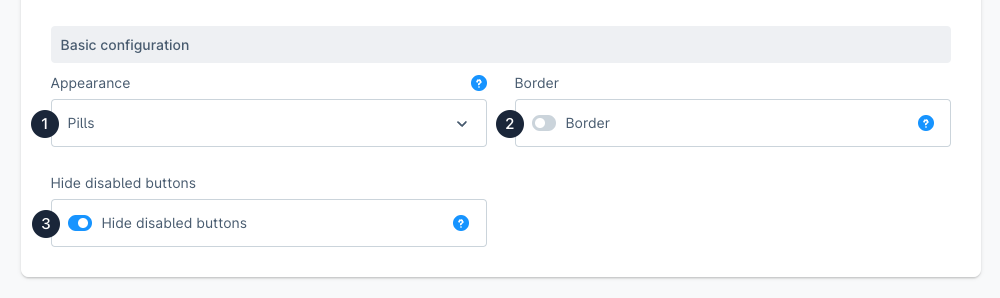
The **Appearance (1)** of pagination can be represented as `pills` and `standard`. Elements defined as `pills` have a distance to each other.
The option **Hide disabled buttons (3)** hides the unnecessary disabled buttons, since they are not clickable anyway. For example, if you are on page 1, the buttons for "first page" and "page forward" are superfluous.
Example:


Disabled buttons are hidden
{% hint style="info" %}
The roundings of the pills result from the button radius from the general settings tab. For round pills your buttons must be set to `round.`
{% endhint %}