> For the complete documentation index, see [llms.txt](https://themedocs.zenit.design/llms.txt). Markdown versions of documentation pages are available by appending `.md` to page URLs; this page is available as [Markdown](https://themedocs.zenit.design/faq/allgemein/home-link.md).
# Home Link
Die Hauptnavigation des Shops kann um einen zusätzlichen Link zur Startseite ergänzt werden, sodass die Startseite jederzeit mit einem Klick erreichbar ist.
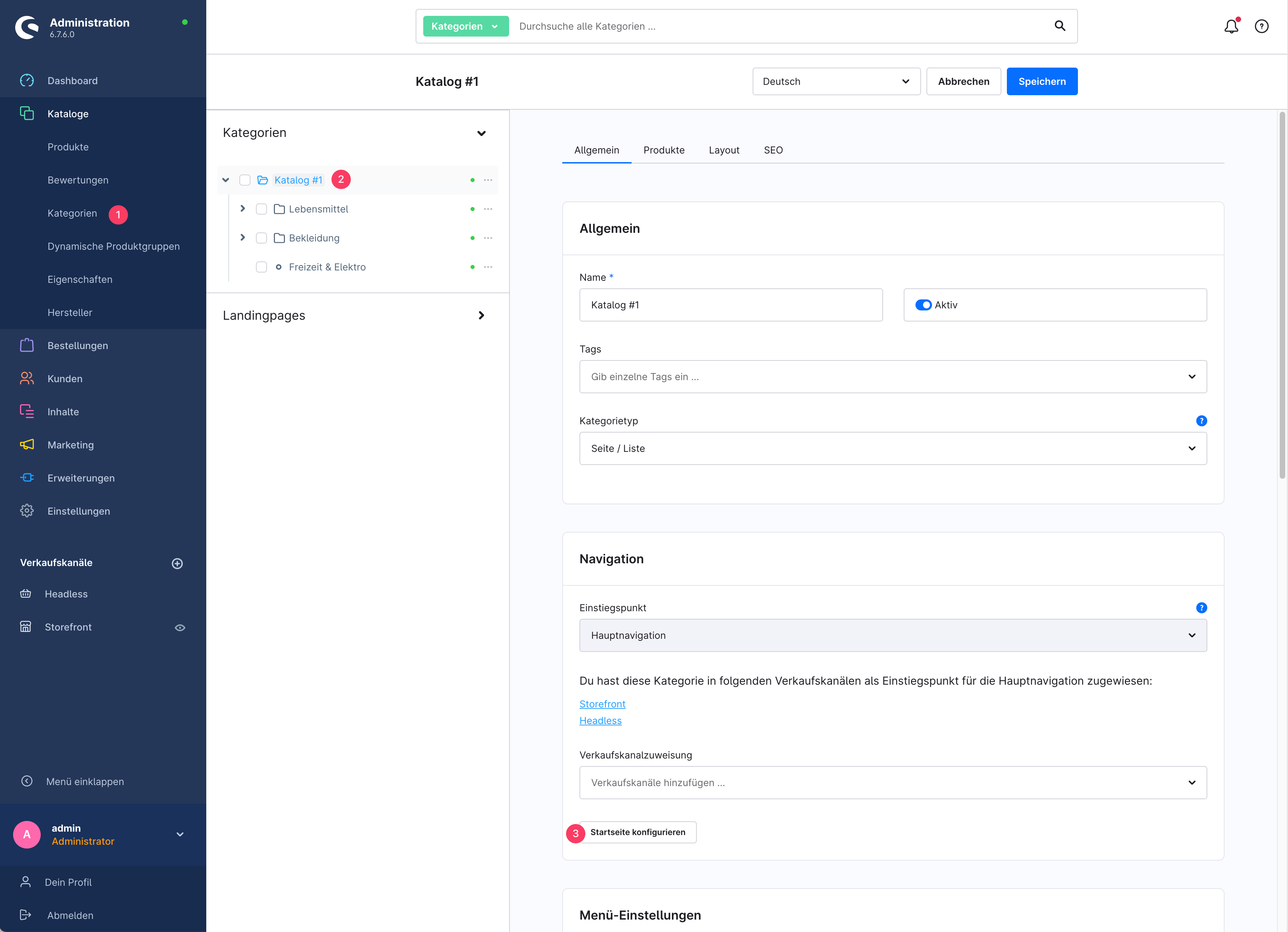
Der Link reiht sich in die Kategorien des Shops ein und ist im Bereich *Kataloge > **Kategorien (1)** > **Einstiegspunkt wählen (2)** > Tab: Allgemein > Sektion: Navigation* unter dem Button **Startseite konfigurieren (3)** einstellbar.
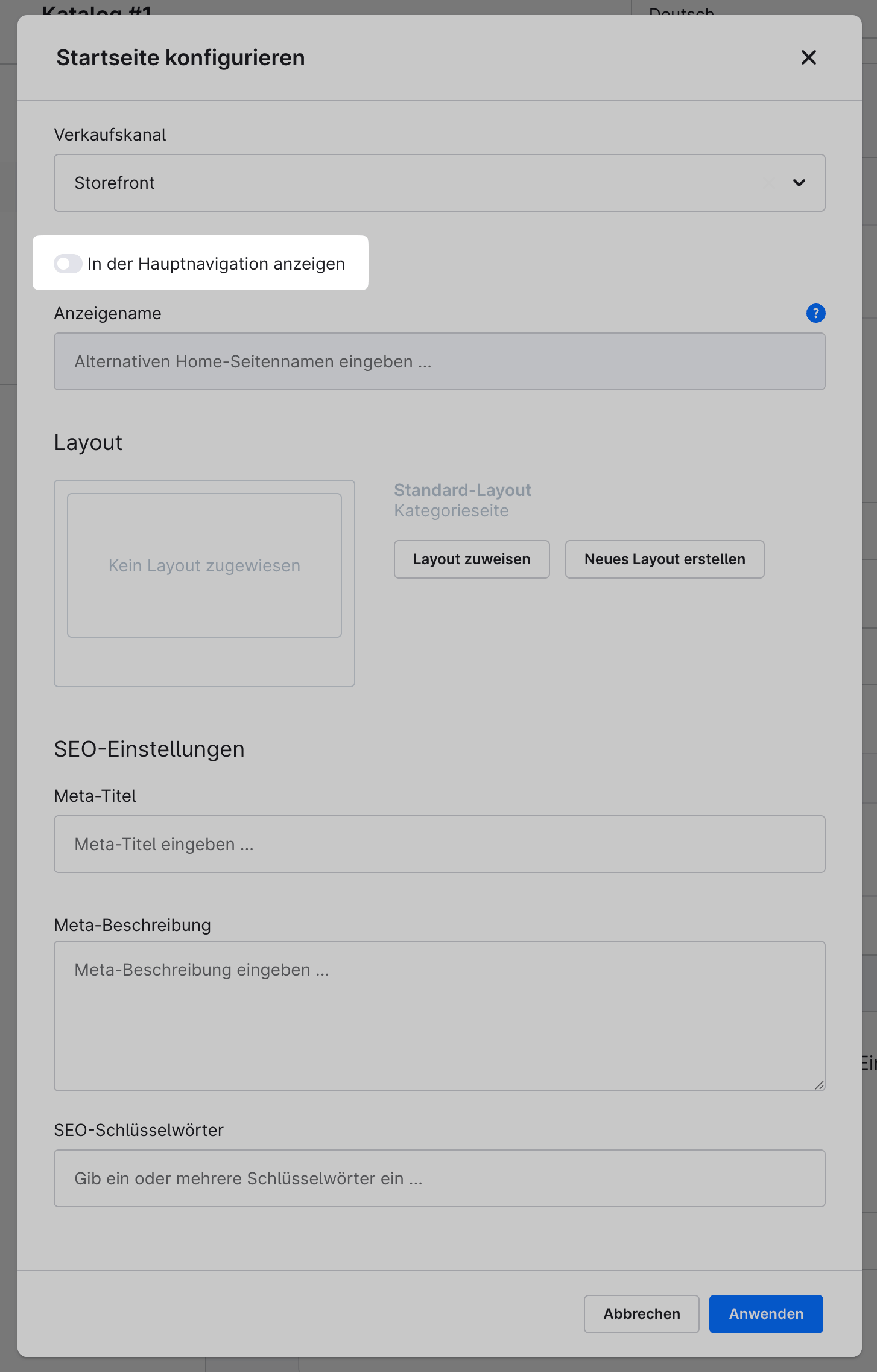
Aktiviere im Modal-Fenster die Einstellung **"In der Hauptnavigation anzeigen"**. Der **Anzeigename** kann im Feld darunter optional gesetzt werden.