> For the complete documentation index, see [llms.txt](https://themedocs.zenit.design/llms.txt). Markdown versions of documentation pages are available by appending `.md` to page URLs; this page is available as [Markdown](https://themedocs.zenit.design/en/styling/general/animations.md).
# Animations
## Scroll Animation
The scroll animations animate elements and blocks of the shopping experiences (cms), triggered as the page scrolls. The content is revealed through an animation as soon as it enters the visible area by scrolling.
{% hint style="info" %}
To apply the scroll animations follow our documentation on the [Shopping experience animation](/en/content/shopping-experiences/animations.md).
{% endhint %}
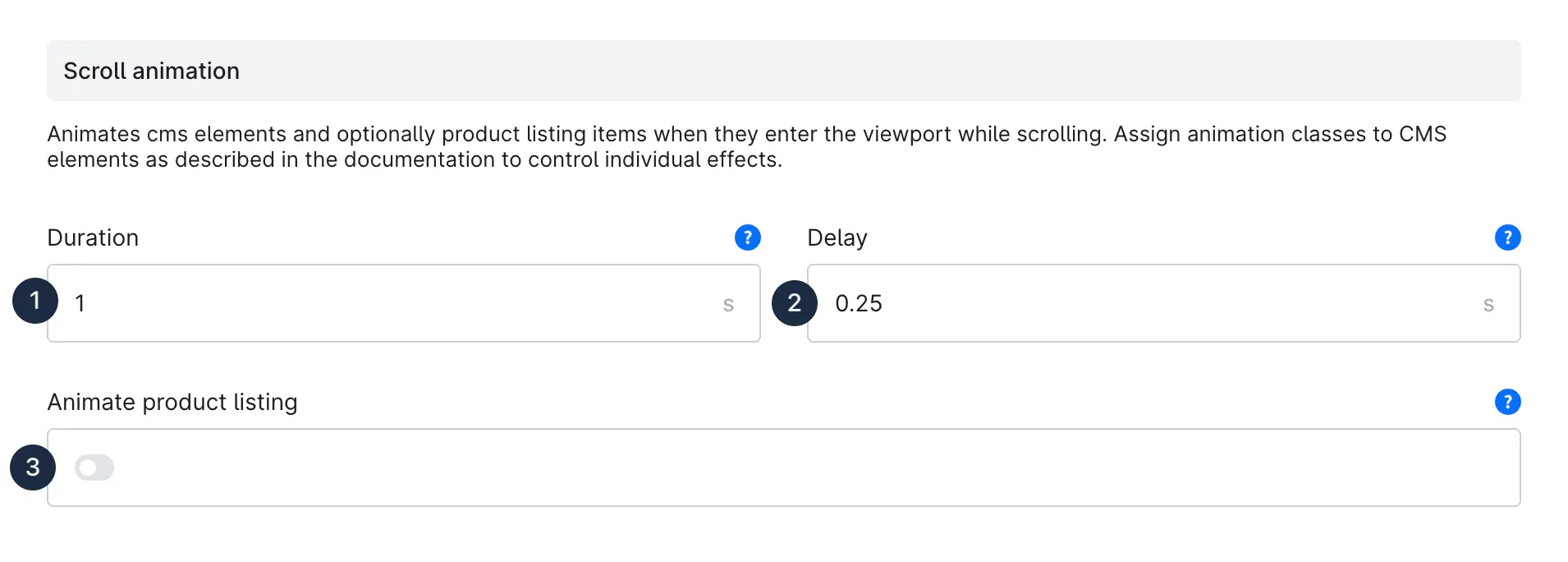
The **duration (1)** specifies how long the animation lasts in seconds. The **delay (2)** describes the duration until the animation starts. So if an element reaches the visible area by scrolling, the animation waits another 0.25 seconds until the animation starts.
You can **animate the product listing (3)**, the individual product boxes in the listing are shown in animated form one after the other.
## Reveal Animation
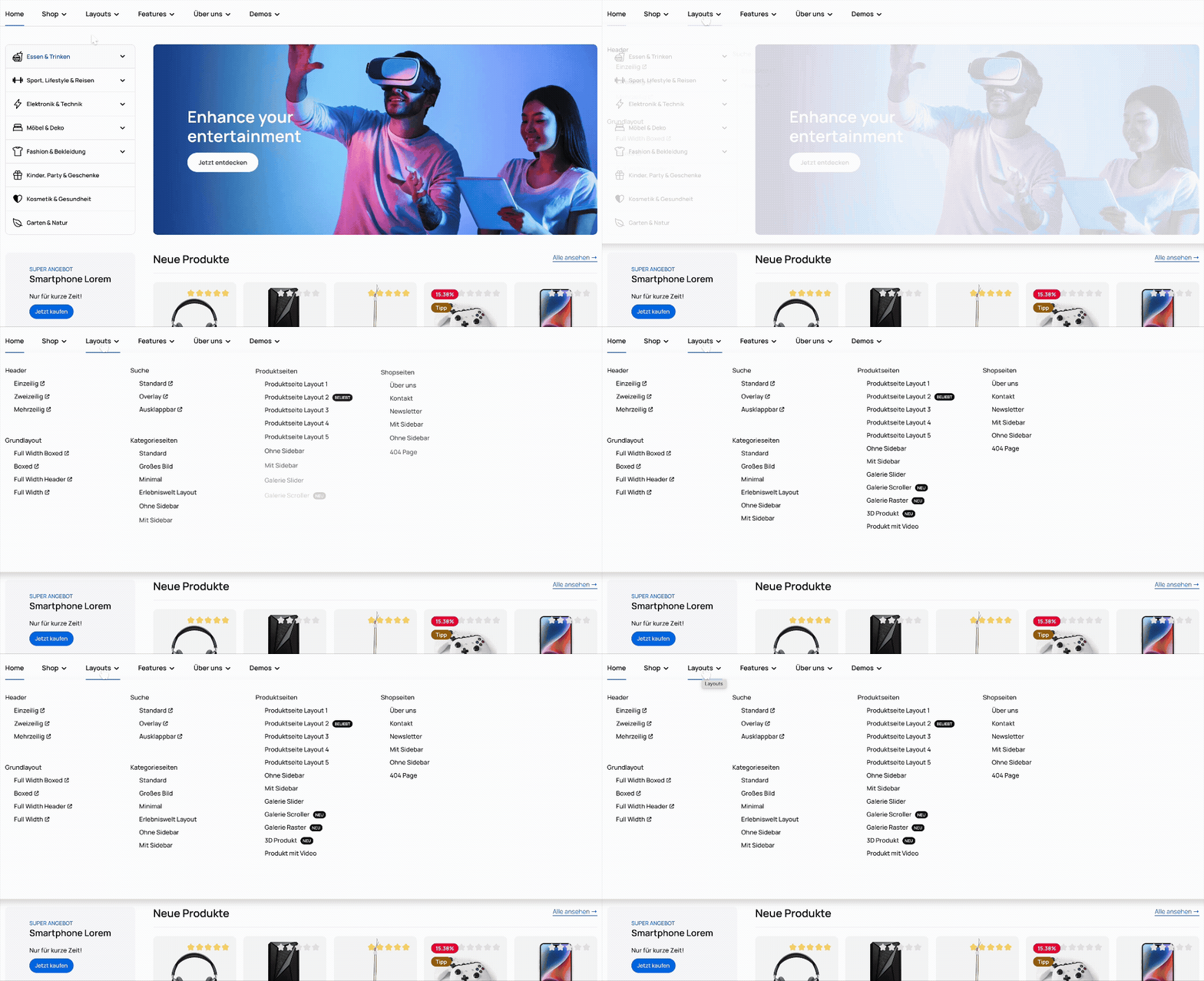
The reveal animations animate the contents of menus and offcanvas elements as soon as they are opened by the user.
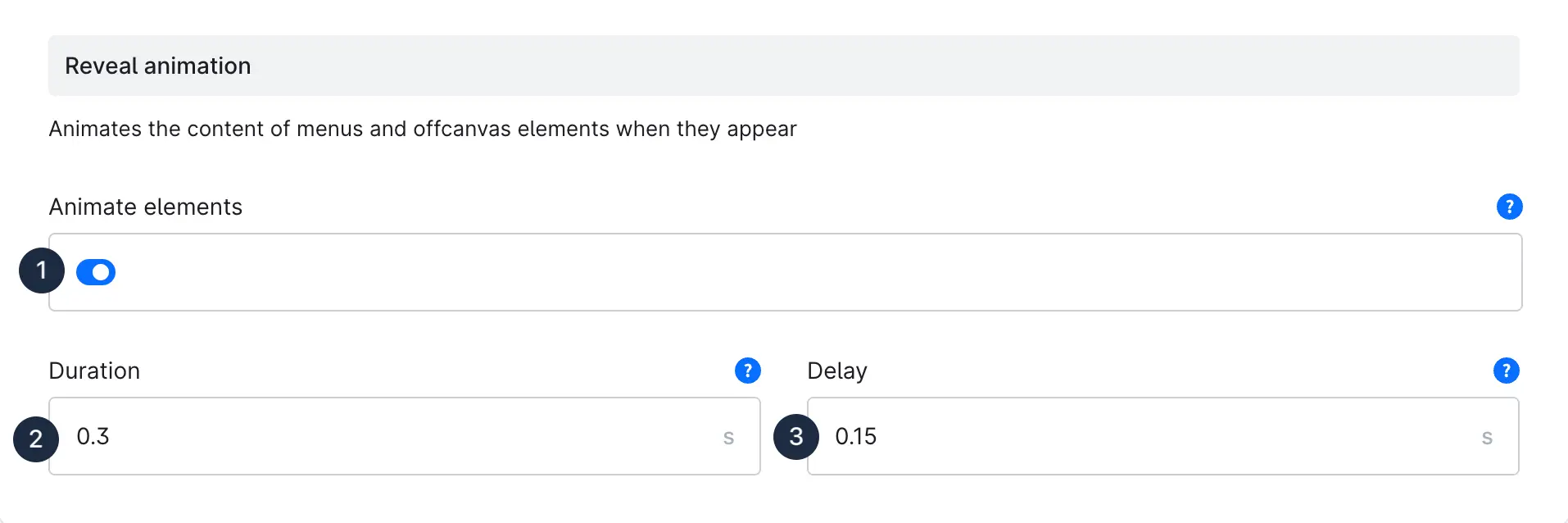
With the **Animate elements (1)** setting, you can activate or deactivate the function.
The **duration (2)** specifies how long the animation lasts in seconds. The **delay (3)** describes the duration until the animation starts. So if an element reaches the visible area by scrolling, the animation waits another 0.25 seconds until the animation starts.
Example: