# Cart
The option **Total quantity (1)** decides whether the counting in the shopping cart is based on the total products or the amount of line items.\
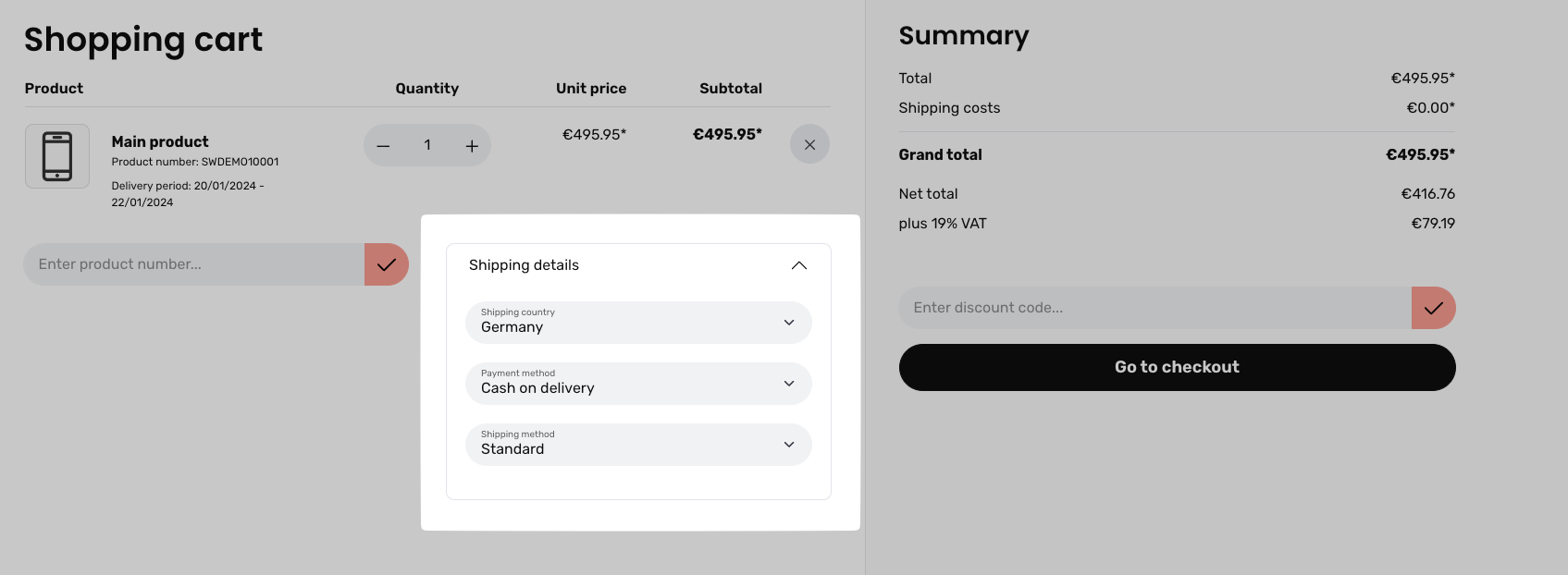
If the option **Shipping details expanded (2)** is activated, the shipping details can already be displayed in the expanded state in the shopping cart. \
The setting **Prevent offcanvas cart (3)** ensures that the Offcanvas shopping cart does not open when an item is added to the shopping cart. This always makes sense if the shop is designed in such a way that customers usually add many items from the listing to their shopping cart. This is particularly useful if your shop specialises in B2B customers.
Example:
### Product number input
By default, the product number input is only displayed in the shopping cart. And only if there are already products in the shopping cart. In the Offcanvas shopping cart, however, the product number input is completely missing from Shopware's standard system.
With **Display (1)**, in addition to the standard display, you can show the product number input when the shopping cart is empty or you can also hide the display of this input field completely.
With **Display (Offcanvas) (2)** you control the function in the Offcanvas shopping cart. Here you can choose between the three modes: `Show never`, `Show always` and `If products are in cart`.