> For the complete documentation index, see [llms.txt](https://themedocs.zenit.design/llms.txt). Markdown versions of documentation pages are available by appending `.md` to page URLs; this page is available as [Markdown](https://themedocs.zenit.design/en/faq/general/home-link.md).

# Home Link

The shop’s main navigation can be extended with an additional link to the homepage, so the home page is always reachable with a single click.

<figure><img src="https://2915610672-files.gitbook.io/~/files/v0/b/gitbook-x-prod.appspot.com/o/spaces%2F4i6VN0FeNAgRFLwVM2Cr%2Fuploads%2FSKJ0RxexpmkmchGk6acA%2Fdocs-catalogue-configure-home-page-storefront-example.png?alt=media&amp;token=d6d12115-6f63-4810-818d-ddf2c9413254" alt=""><figcaption></figcaption></figure>

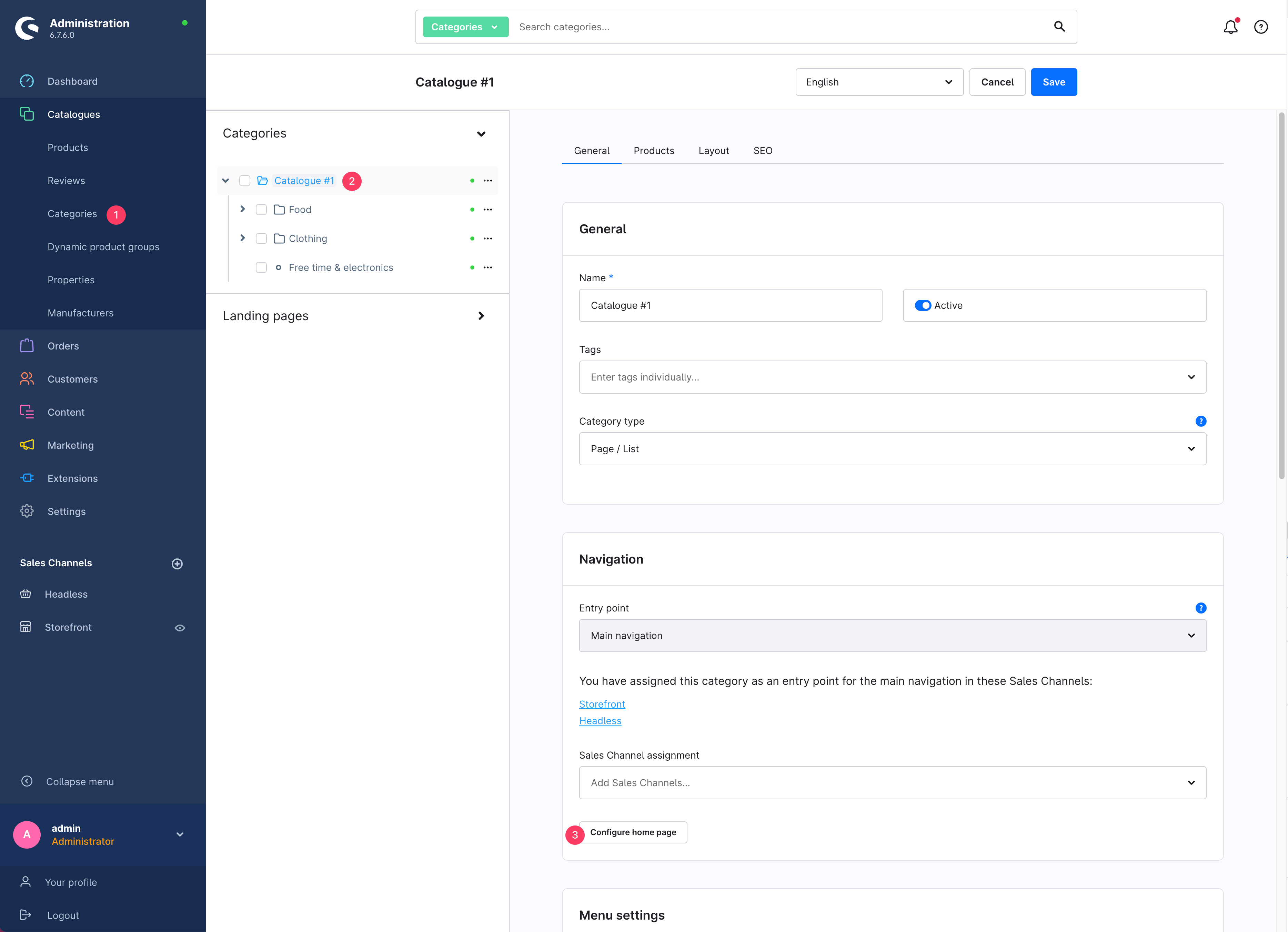
The link is integrated into the shop’s category structure and can be configured under Catalogues > **Categories (1)** > **Select entry point (2)** > tab: General > section: Navigation, using the **Configure home page (3)** button.

<figure><img src="https://2915610672-files.gitbook.io/~/files/v0/b/gitbook-x-prod.appspot.com/o/spaces%2F4i6VN0FeNAgRFLwVM2Cr%2Fuploads%2Fx4P9NtseyO0luKZjvP9p%2Fdocs-en-catalogue-configure-home-page.png?alt=media&amp;token=381e6b60-b241-48de-9407-c6dda4820bd3" alt=""><figcaption></figcaption></figure>

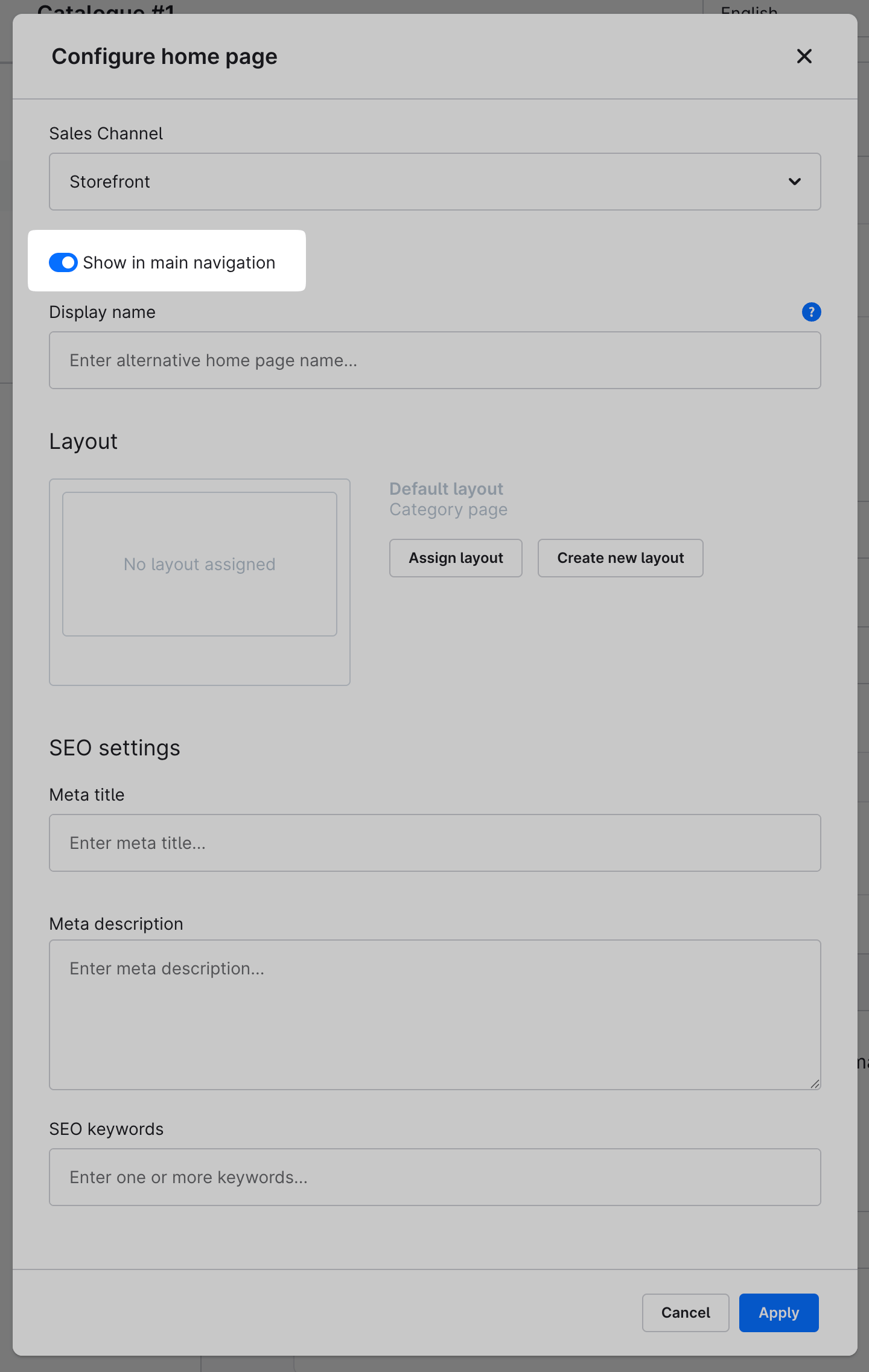
In the modal window, enable the **“Show in main navigation”** option. Optionally, you can set the **display name** in the field below.

<figure><img src="https://2915610672-files.gitbook.io/~/files/v0/b/gitbook-x-prod.appspot.com/o/spaces%2F4i6VN0FeNAgRFLwVM2Cr%2Fuploads%2F3QcbbaloCsQ0Terqwdqq%2Fdocs-en-catalogue-configure-home-page-modal.png?alt=media&amp;token=9bc30a32-1600-4bd1-b442-9838e4e246a6" alt=""><figcaption></figcaption></figure>