> For the complete documentation index, see [llms.txt](https://themedocs.zenit.design/llms.txt). Markdown versions of documentation pages are available by appending `.md` to page URLs; this page is available as [Markdown](https://themedocs.zenit.design/en/faq/general/home-link.md).
# Home Link
The shop’s main navigation can be extended with an additional link to the homepage, so the home page is always reachable with a single click.
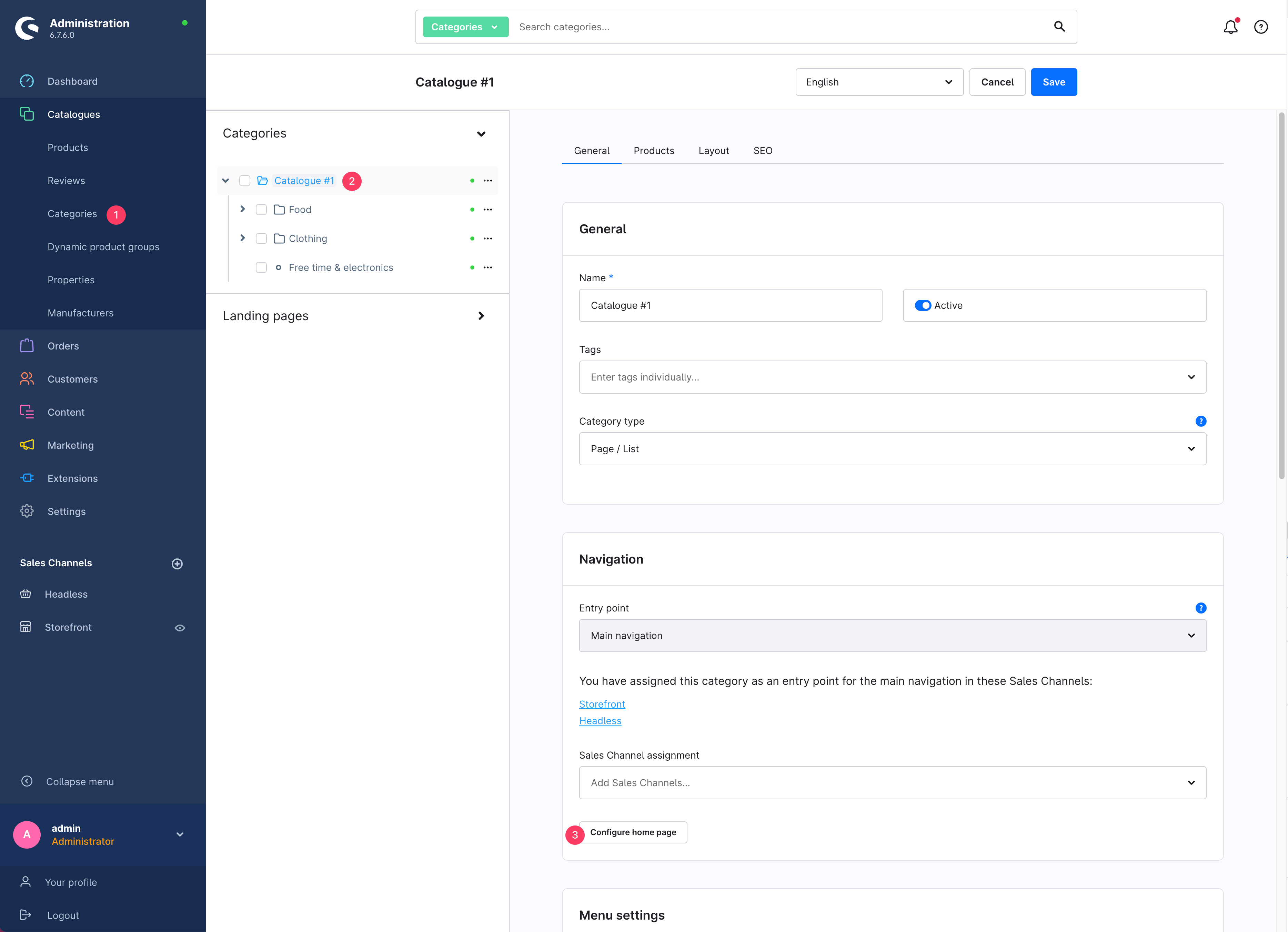
The link is integrated into the shop’s category structure and can be configured under Catalogues > **Categories (1)** > **Select entry point (2)** > tab: General > section: Navigation, using the **Configure home page (3)** button.
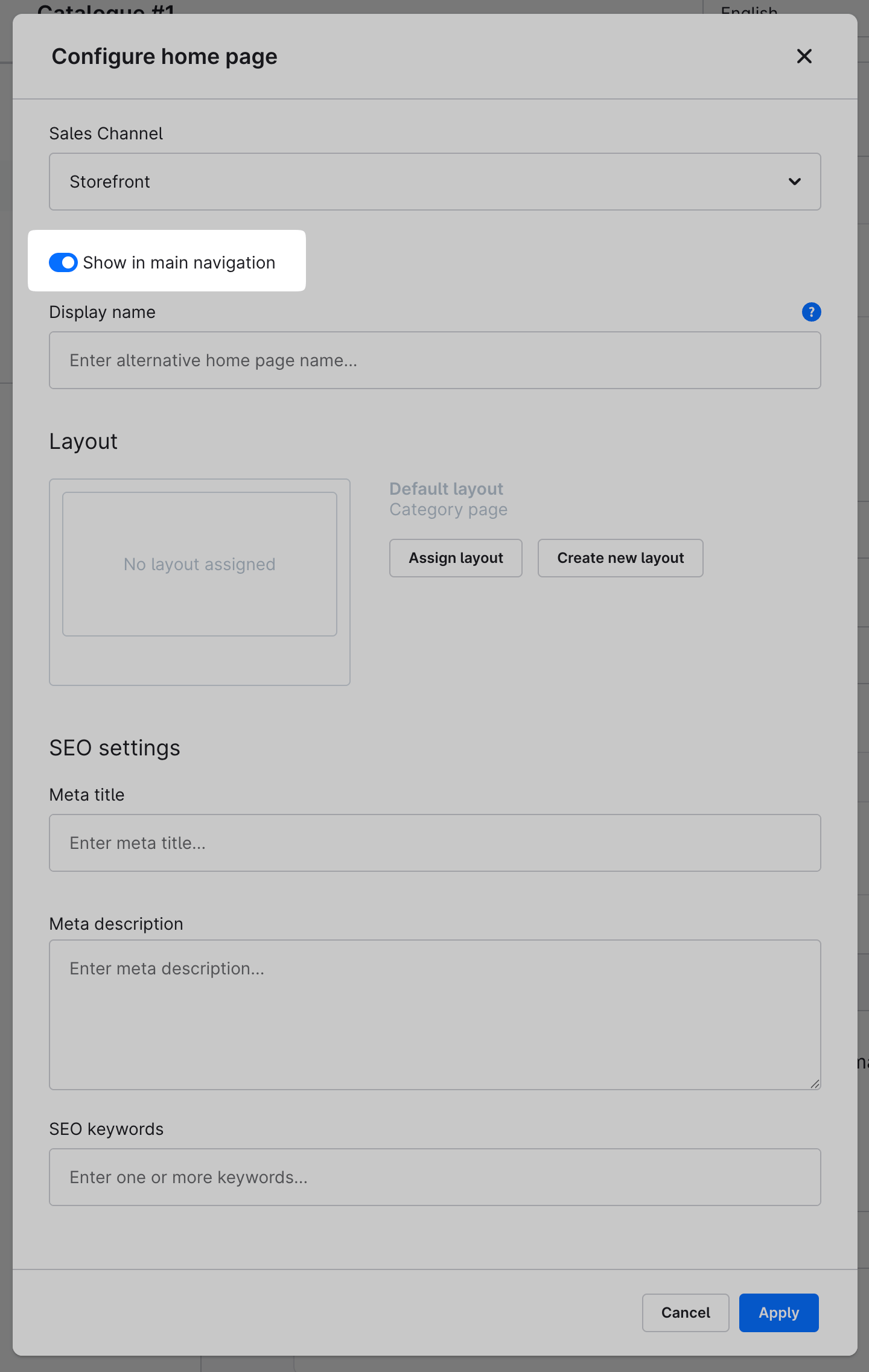
In the modal window, enable the **“Show in main navigation”** option. Optionally, you can set the **display name** in the field below.